Table of Contents
- What Is Google Analytics 4?
- Why GA4 Is Important for Modern Websites
- GA4 vs Universal Analytics
- Why AMP Pages Need Special Analytics Setup
- How to Add GA4 to AMP Pages
- Understanding the GA4 AMP Code
- GA4 AMP Setup in WordPress
- Benefits of GA4 Tracking for AMP
- Common GA4 AMP Problems
- Frequently Asked Questions
:contentReference[oaicite:1]{index=1} introduced :contentReference[oaicite:2]{index=2}, commonly known as GA4, as the next generation of website analytics and user behavior tracking.
GA4 replaces Universal Analytics and introduces a completely new event-based data model designed to better understand user interactions across websites and applications.
Although Google provides a relatively straightforward setup process for standard websites, configuring GA4 for AMP pages in WordPress can be significantly more complicated.
Many users discover that AMP analytics integration behaves differently from traditional website tracking, requiring specialized configuration using the amp-analytics component.
In this complete guide, you will learn how Google Analytics 4 works, why AMP pages require additional setup, and how to correctly implement GA4 tracking in WordPress AMP pages.
What Is Google Analytics 4?
:contentReference[oaicite:3]{index=3} is Google’s latest analytics platform, officially launched in 2020.
It represents a major redesign compared to the older Universal Analytics system.
Main Features of GA4
- Event-based tracking system
- Cross-platform analytics
- Predictive AI insights
- Enhanced user journey tracking
- Integrated app and website analytics
- Machine learning-powered reports
GA4 was designed to provide deeper insights into how users interact with digital platforms across multiple devices and environments.
Why GA4 Is Important for Modern Websites
Modern websites require more advanced analytics because user behavior has become increasingly fragmented across:
- Mobile devices
- Desktop browsing
- Applications
- Social media traffic
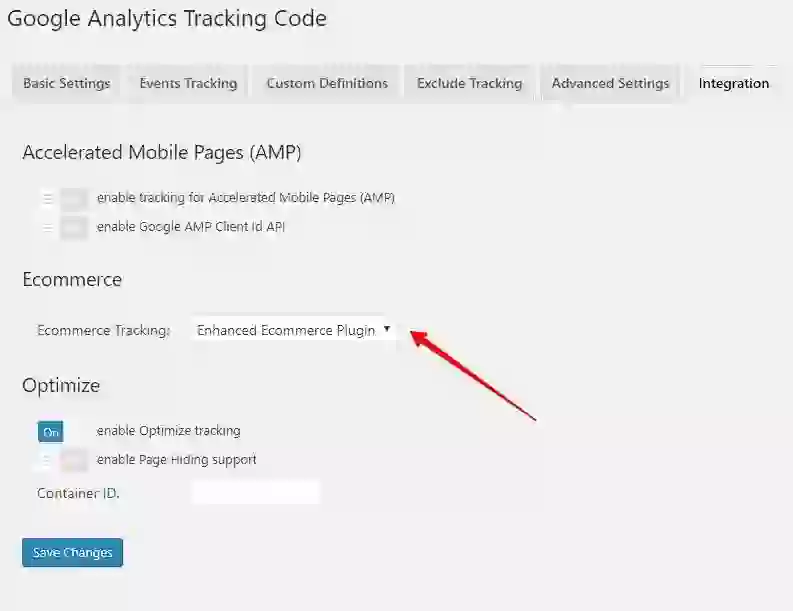
- AMP pages
GA4 introduces a unified measurement approach that allows businesses and website owners to better understand:
- User engagement
- Traffic sources
- Conversion funnels
- Content performance
- Audience behavior
The platform also integrates AI-powered predictive analytics to help identify trends and future user actions.
GA4 vs Universal Analytics
One of the biggest changes in GA4 is the move away from session-based tracking toward event-based analytics.
Major Differences Between GA4 and Universal Analytics
| Feature | Universal Analytics | GA4 |
|---|---|---|
| Tracking Model | Sessions | Events |
| Cross-Platform Tracking | Limited | Advanced |
| AI Predictions | No | Yes |
| Privacy Features | Basic | Enhanced |
| App Integration | Separate | Unified |
While many users appreciated the simplicity of Universal Analytics reports, GA4 focuses heavily on flexibility and future-proof analytics.

Why AMP Pages Need Special Analytics Setup
:contentReference[oaicite:4]{index=4} pages operate differently from standard web pages.
AMP restricts custom JavaScript usage to improve loading speed and mobile performance.
Because of these restrictions, standard Google Analytics scripts cannot always function properly inside AMP environments.
AMP Analytics Limitations
- Restricted JavaScript execution
- Special AMP components required
- Custom analytics configuration needed
- Separate tracking implementation
To solve this problem, Google provides the amp-analytics component specifically for AMP-compatible tracking.
How to Add GA4 to AMP Pages
The recommended solution is to implement the amp-analytics component with your GA4 Measurement ID.
Step 1: Add AMP Analytics Script
<script async custom-element="amp-analytics"
src="https://cdn.ampproject.org/v0/amp-analytics-0.1.js">
</script>
Step 2: Add GA4 Tracking Configuration
<amp-analytics type="googleanalytics">
  <script type="application/json">
  {
    "vars": {
      "account": "GA-MEASUREMENT-ID"
    },
    "triggers": {
      "trackPageview": {
        "on": "visible",
        "request": "pageview"
      }
    }
  }
  </script>
</amp-analytics>
Replace GA-MEASUREMENT-ID with your actual Google Analytics 4 Measurement ID.
Understanding the GA4 AMP Code
The configuration uses AMP’s native analytics system to trigger pageview events.
Important Parameters
account→ Your GA4 Measurement IDon: visible→ Sends data when the page becomes visiblerequest: pageview→ Triggers a pageview event
This lightweight tracking method is optimized specifically for AMP performance requirements.
Unlike traditional JavaScript tracking, AMP analytics uses a secure and performance-focused framework.
GA4 AMP Setup in WordPress
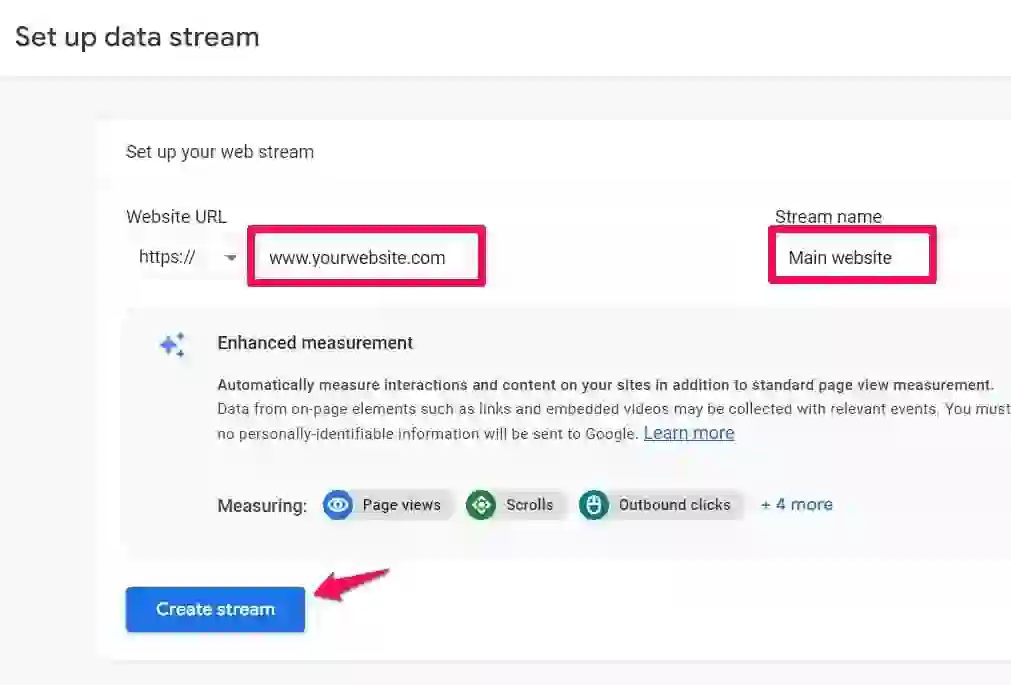
Many WordPress websites use AMP plugins to automatically generate accelerated mobile pages.
Ways to Add GA4 Tracking in WordPress AMP
- Custom theme integration
- AMP-compatible analytics plugins
- Header injection tools
- Manual template editing
Some plugins may already provide built-in support for GA4 AMP integration.
However, manually implementing the code often gives more control over customization and debugging.
Benefits of GA4 Tracking for AMP
Tracking AMP traffic correctly is essential for understanding mobile audience behavior.
Main Benefits
- Accurate mobile analytics
- Better SEO performance insights
- Improved engagement tracking
- Enhanced content analysis
- Cross-platform reporting consistency
Because AMP pages often appear prominently in mobile search results, analytics tracking becomes critical for publishers and marketers.
Common GA4 AMP Problems
Users frequently encounter tracking inconsistencies when integrating GA4 with AMP.
Common Problems
- Missing pageview events
- Incorrect Measurement IDs
- AMP validation errors
- Caching conflicts
- Plugin incompatibility
Debugging Tips
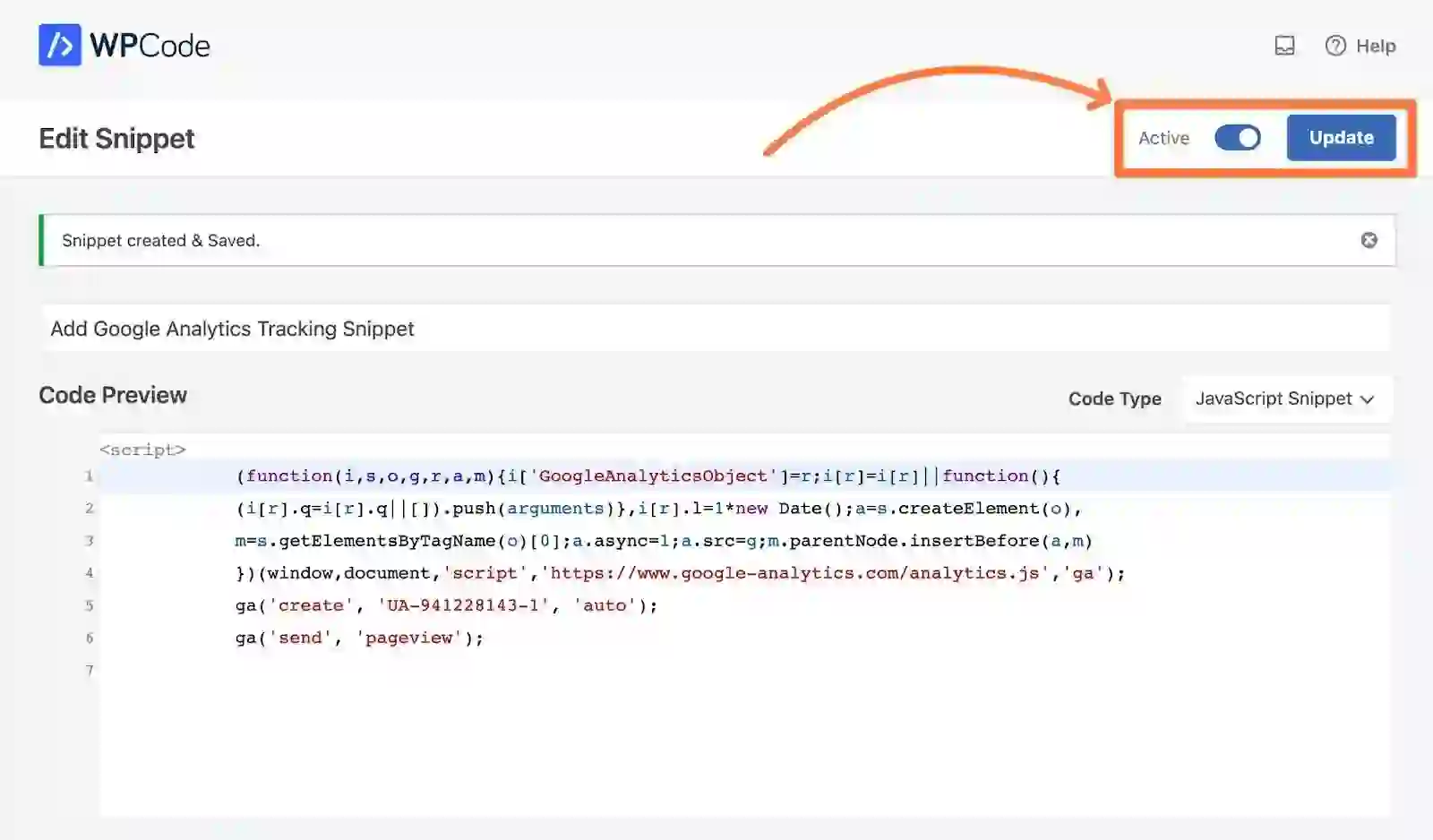
- Validate AMP pages using Google AMP Validator
- Check GA4 real-time reports
- Verify Measurement ID formatting
- Test page visibility triggers
Proper testing is essential because AMP restrictions can silently block invalid configurations.
Final Thoughts
:contentReference[oaicite:5]{index=5} introduces a more advanced and flexible analytics framework for modern websites.
Although integrating GA4 with AMP pages can initially seem confusing, the implementation becomes relatively straightforward using the amp-analytics component.
For WordPress publishers, correctly tracking AMP traffic is essential for understanding mobile visitors, improving SEO performance, and optimizing user engagement.
As Google continues emphasizing mobile performance and event-based analytics, mastering GA4 AMP integration will remain increasingly valuable for website owners and digital marketers.
Frequently Asked Questions
What is Google Analytics 4?
Google Analytics 4 is Google’s latest analytics platform focused on event-based tracking and advanced user behavior analysis.
Why does AMP require special analytics setup?
AMP restricts traditional JavaScript execution, requiring the use of the amp-analytics component for tracking.
What is a GA4 Measurement ID?
The Measurement ID identifies your GA4 property and connects tracking data to your Google Analytics account.
Can WordPress plugins handle GA4 AMP tracking?
Yes, some AMP-compatible WordPress plugins support GA4 integration automatically.
What does “on: visible” mean in AMP analytics?
It means the pageview event is triggered only when the page becomes visible to the user.
What’s Google Analytics 4?
Up to date April 21, 2023
It appears the tactic described under does not work as anticipated. In an effort to discover a resolution, I studied a WordPress plugin that works effectively for monitoring and located that it provides the next code to the amp web page: So, doing the identical must be sufficient to realize the identical impact.
|
1
2
3
4
5
6
7
8
9
10
11
12
13
14
15
16
17
|
<!-- Includi il codice di inizializzazione di GA4 nell'head della pagina --> <meta title="amp-google-client-id-api" content material="googleanalytics"><!-- Includi l'elemento di monitoring GA4 nell'amp-analytics --> <amp-analytics sort="googleanalytics" config="https://amp.analytics-debugger.com/ga4.json" data-credentials="embrace"> <script sort="utility/json"> {"vars":{ "GA4_MEASUREMENT_ID":"GA-MEASUREMENT_ID", "GA4_ENDPOINT_HOSTNAME":"www.google-analytics.com", "DEFAULT_PAGEVIEW_ENABLED": true, "GOOGLE_CONSENT_ENABLED": false, "WEBVITALS_TRACKING": false, "PERFORMANCE_TIMING_TRACKING": false, "SEND_DOUBLECLICK_BEACON": false } } </script> |
Google Analytics 4 (GA4) is the brand new model of Google Analytics, launched in 2020. GA4 is a sophisticated, unified knowledge evaluation platform that replaces Google Analytics Common. In comparison with the earlier model, GA4 supplies higher flexibility in knowledge assortment, deeper app integration, and enhanced predictive analytics. Key options of GA4 embrace automated knowledge assortment, the power to create {custom} occasions, the power to make use of predictive analytics fashions, and the power to combine app knowledge with web site knowledge. Moreover, GA4 gives a extra intuitive and easy-to-use person interface than the earlier model.
[ed.] The interface does not appear that intuitive to me: the reviews within the earlier model appeared rather more quick to me, however perhaps that is as a result of I would gotten used to them over time.
Whereas the code to make use of to observe the web site and gather customer statistics is supplied immediately within the configuration course of, for AMP pages you might be left to your individual gadgets.
Finally, the answer is kind of easy and simple: should you’ve already put in Google Analytics Common, merely change the brand new id with the account variable . The entire code is under.
|
1
2
3
4
5
6
7
8
9
10
11
12
13
14
15
16
17
18
19
|
<!-- Includi il codice di inizializzazione di GA4 nell'head della pagina --><script async custom-element="amp-analytics" src="https://cdn.ampproject.org/v0/amp-analytics-0.1.js"></script><!-- Includi l'elemento di monitoring GA4 nell'amp-analytics --><amp-analytics sort="googleanalytics"> <script sort="utility/json"> { "vars": { "account": "GA-MEASUREMENT_ID" }, "triggers": { "trackPageview": "on": "seen", "request": "pageview" } } </script></amp-analytics> |
Make certain to interchange “GA-MEASUREMENT_ID” along with your Google Analytics Measurement ID 4.
Additionally, it is essential to notice that this instance makes use of the “on=seen” choice for the pageview set off, which suggests the pageview occasion will solely be despatched when the web page turns into seen to the person. You possibly can customise this set off to fit your particular wants.