Table of Contents
- Why Blogging Is Still Important in 2026
- Choose Your Blog Topic
- Register a Domain Name
- Choose a Hosting Provider
- Install WordPress
- Choose a WordPress Theme
- Install Essential Plugins
- Publish Your First Article
- Basic SEO Tips for New Blogs
- Common Blogging Mistakes
- The Future of Blogging
- Frequently Asked Questions
Starting a blog is one of the most effective ways to share knowledge, build an audience, create a personal brand, and even generate income online.
In 2026, blogging continues to grow as millions of people search the internet daily for useful information, tutorials, reviews, and expert advice.
Thanks to modern website platforms like WordPress, creating a professional blog is now easier than ever before.
Even beginners with no coding experience can launch a blog within a few hours.
In this complete beginner-friendly guide, you will learn the essential steps to start your own WordPress blog from scratch.

Why Blogging Is Still Important in 2026
Despite the rise of social media and video platforms, blogging remains one of the most powerful online business and content creation tools.
Benefits of Blogging
- Share knowledge and expertise
- Build an online audience
- Create passive income opportunities
- Improve personal branding
- Generate business leads
- Build long-term digital assets
Many successful bloggers earn money through advertising, affiliate marketing, digital products, sponsorships, and online services.
Step 1: Choose Your Blog Topic
The first step is choosing a clear topic or niche for your blog.
A niche helps you attract a targeted audience interested in specific content.
Popular Blog Niches
- Technology
- Online business
- Education
- Digital marketing
- Personal development
- Fitness and health
- Travel
- Artificial intelligence
How to Choose the Right Niche
Choose a topic that:
- You enjoy learning about
- Has audience demand
- Allows long-term content creation
- Has monetization potential
A focused niche makes SEO optimization and audience growth easier.

Step 2: Register a Domain Name
Your domain name is your website address on the internet.
Examples
- example.com
- myblog.net
- yoursite.org
Tips for Choosing a Good Domain Name
- Keep it short
- Make it easy to remember
- Use simple spelling
- Choose a relevant name
- Avoid numbers and hyphens
Your domain name becomes part of your brand identity online.
Popular Domain Registrars
- Namecheap
- GoDaddy
- Google Domains
- Cloudflare Registrar
Step 3: Choose a Hosting Provider
Web hosting stores your website files and makes your blog accessible online.
Choosing reliable hosting is extremely important for performance and security.
Good Hosting Should Provide
- Fast loading speeds
- Reliable uptime
- Security features
- Daily backups
- Customer support
- WordPress optimization
Popular Hosting Providers
- SiteGround
- Bluehost
- Hostinger
- Cloudways
- A2 Hosting
Many hosting companies now offer beginner-friendly dashboards and one-click WordPress installation.
Step 4: Install WordPress
WordPress is the most popular content management system (CMS) in the world.
Millions of websites use WordPress because it is flexible, powerful, and beginner-friendly.
Benefits of WordPress
- Easy to use
- Highly customizable
- SEO-friendly
- Thousands of plugins
- Large support community
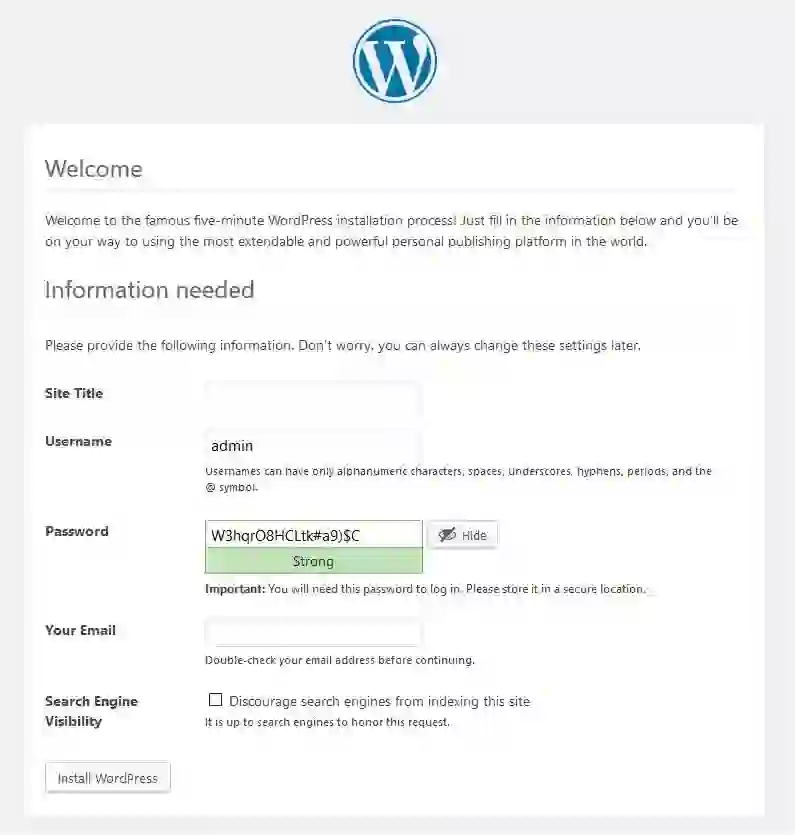
Most hosting companies provide one-click WordPress installation tools.
Basic WordPress Setup Steps
- Log into your hosting dashboard
- Select WordPress installation
- Choose your domain name
- Create admin login details
- Complete installation
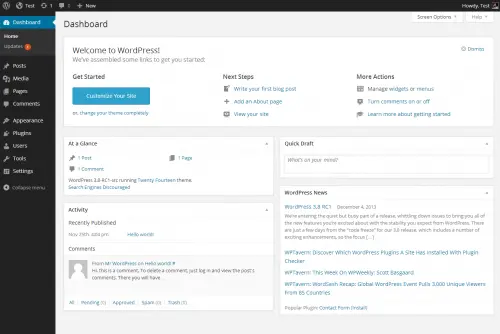
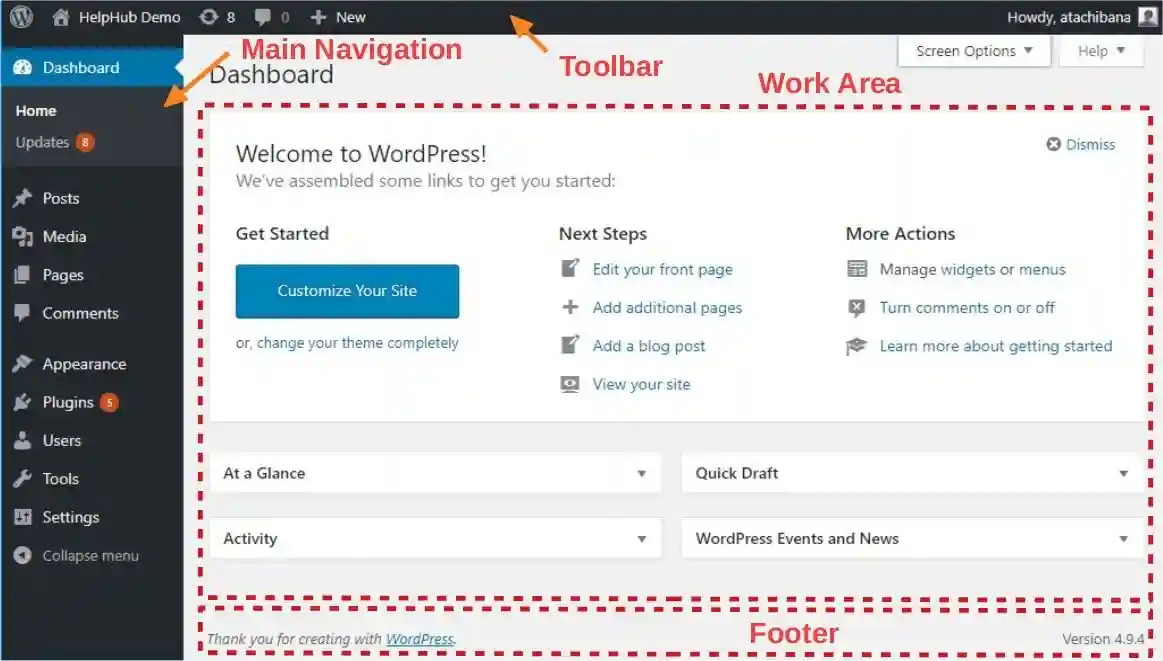
After installation, you can access your WordPress dashboard and begin customizing your site.
Step 5: Choose a WordPress Theme
A WordPress theme controls the appearance and design of your blog.
What Makes a Good Theme
- Fast loading speed
- Mobile responsiveness
- SEO optimization
- Clean design
- Customization options
Popular WordPress Themes
- Astra
- GeneratePress
- OceanWP
- Kadence
- Neve
Choose a lightweight theme that prioritizes speed and user experience.
Step 6: Install Essential Plugins
Plugins add additional functionality to WordPress websites.
Important Beginner Plugins
- Rank Math SEO — SEO optimization
- WP Rocket — Website caching
- UpdraftPlus — Backups
- Wordfence — Security
- Elementor — Page building
Avoid installing too many plugins because excessive plugins can slow down your website.
Step 7: Publish Your First Article
Your first article should provide useful information or solve a problem for readers.
Good Article Structure
- Clear title
- Introduction
- Step-by-step explanation
- Conclusion
Tips for Better Blog Articles
- Use headings and subheadings
- Write short paragraphs
- Add images
- Optimize for SEO
- Focus on readability
High-quality articles help build trust and improve search engine rankings.
Basic SEO Tips for New Blogs
SEO helps your blog appear in Google search results.
Important Beginner SEO Tips
- Use target keywords naturally
- Create helpful content
- Optimize page speed
- Add internal links
- Write SEO-friendly titles
- Optimize images with alt text
Consistent SEO optimization can significantly increase organic traffic over time.
Common Blogging Mistakes
- Choosing too many topics
- Publishing inconsistent content
- Ignoring SEO optimization
- Using slow website themes
- Expecting instant results
Successful blogging requires patience, consistency, and continuous learning.
The Future of Blogging
Blogging continues evolving alongside artificial intelligence, search engine updates, and creator platforms.
Future blogging trends may include:
- AI-assisted content creation
- Voice search optimization
- Interactive content
- Video integration
- Personal branding growth
Blogs that focus on expertise, trust, and user experience will likely continue growing in the future.
Final Thoughts
Starting a blog is an exciting journey that allows you to share ideas, help others, and build a long-term digital presence.
With platforms like WordPress, beginners can now create professional blogs without technical experience.
Success in blogging comes from consistency, quality content, SEO optimization, and understanding your audience.
The sooner you begin building your blog, the sooner you can grow your online presence and create valuable digital assets.
Frequently Asked Questions
Is WordPress good for beginners?
Yes, WordPress is beginner-friendly and offers thousands of themes and plugins for customization.
How much does it cost to start a blog?
Starting a blog can cost as little as a few dollars per month for hosting and a domain name.
Can blogs make money?
Yes, blogs can generate income through ads, affiliate marketing, sponsored posts, and digital products.
How often should I publish blog posts?
Consistency matters more than frequency. Many successful blogs publish weekly or biweekly content.
Do I need coding skills to start a blog?
No, WordPress allows beginners to build blogs without coding knowledge.Starting a blog is one of the most popular ways to share knowledge, build an online audience, and even earn money on the internet. In 2026, creating a blog is easier than ever thanks to platforms like WordPress.
In this guide, you will learn the essential steps to start your own blog from scratch.
Step 1: Choose Your Blog Topic
Your blog should focus on a specific niche such as:
- Technology
- Online business
- Education
- Personal development
- Digital marketing
Choosing a clear niche helps you attract the right audience.
Step 2: Register a Domain Name
A domain name is the address of your website on the internet.
Examples:
- example.com
- myblog.net
- yoursite.org
Choose a domain name that is:
- Short
- Easy to remember
- Relevant to your topic
Step 3: Choose a Hosting Provider
Web hosting stores your website files online so visitors can access your site anytime.
Good hosting should offer:
- Fast loading speed
- Security features
- Reliable uptime
Step 4: Install WordPress
WordPress is the most popular blogging platform in the world.
Benefits of WordPress:
- Easy to use
- Highly customizable
- Thousands of themes and plugins
Most hosting companies allow one-click WordPress installation.
Step 5: Publish Your First Article
Your first article should solve a problem or answer a common question.
Good article structure:
- Clear title
- Introduction
- Step-by-step explanation
- Conclusion
Conclusion
Starting a blog is an exciting journey that can help you share knowledge and build a digital presence. With consistency and high-quality content, your blog can grow into a valuable online resource.