Table of Contents
- What Does the End of Windows 10 Support Mean?
- Why October 14, 2025 Is Important
- Security Risks of Using Unsupported Windows 10
- Millions of Users Still Depend on Windows 10
- Available Options for Windows 10 Users
- How Avast Free Antivirus Helps Protect Your PC
- How to Prepare for the Future
- Should You Upgrade to Windows 11?
- Frequently Asked Questions
Microsoft’s decision to officially end support for Windows 10 marks one of the most important cybersecurity events of the coming years.
On October 14, 2025, Microsoft will stop releasing security updates, bug fixes, and technical support for the operating system. Although Windows 10 computers will continue functioning after this date, they will become increasingly vulnerable to malware, cyberattacks, ransomware, and newly discovered security flaws.
For millions of users worldwide, upgrading to Windows 11 is not always simple. Many older devices do not meet Microsoft’s strict hardware requirements such as TPM 2.0 support and modern processors.
As a result, a massive number of users may continue running Windows 10 long after its official end-of-life period.
This raises a critical question: how can users protect their computers once Microsoft stops providing security patches?
What Does the End of Windows 10 Support Mean?
When Microsoft declares an operating system “end-of-life,” it means the software no longer receives official updates or technical assistance.
In practical terms, this creates several serious risks for users.
Main Consequences of End of Support
- No more security patches
- Higher exposure to cyberattacks
- Reduced software compatibility
- Greater vulnerability to malware
- Declining browser and application support
Any new vulnerability discovered after October 14, 2025, may remain permanently unpatched on Windows 10 systems.
Cybercriminals actively target unsupported operating systems because they become easier to exploit over time.
Why October 14, 2025 Is Important
October 14, 2025, is the official date when Microsoft plans to terminate standard support for Windows 10.
After this deadline:
- Microsoft will stop releasing free security updates
- Technical support services will end
- New vulnerabilities may remain unresolved
- Older systems will face increasing security threats
Although Microsoft may offer limited Extended Security Updates (ESU) programs for some users and organizations, these programs are not permanent solutions and may not be available globally.
Even with ESU access, unsupported systems still face greater long-term security challenges compared to actively maintained operating systems.
Security Risks of Using Unsupported Windows 10
Continuing to use Windows 10 after support ends may expose users to serious cybersecurity threats.
1. Malware and Ransomware Attacks
Hackers frequently exploit outdated systems to distribute ransomware, spyware, and malicious software.
2. Data Theft
Unsupported operating systems become easier targets for attackers seeking passwords, banking information, and personal data.
3. Browser Vulnerabilities
As browser support declines, online activities such as shopping, banking, and email usage become riskier.
4. Software Compatibility Problems
Many modern applications will eventually stop supporting Windows 10 entirely.
5. Increased Exploitation Risks
Publicly known vulnerabilities can remain permanently exploitable when no official patches are released.
Millions of Users Still Depend on Windows 10
Despite Microsoft’s efforts to encourage migration to Windows 11, Windows 10 remains one of the most widely used operating systems globally.
Industry estimates suggest that hundreds of millions of devices still rely on Windows 10.
Many users continue using the system because:
- Their hardware is incompatible with Windows 11
- They prefer the Windows 10 interface
- Businesses delay large-scale upgrades
- Older devices still function properly
- Migration costs can be expensive
This creates a massive global cybersecurity challenge once support officially ends.
Available Options for Windows 10 Users
Users who currently rely on Windows 10 have several possible paths forward.
Upgrade to Windows 11
If your hardware supports it, upgrading to Windows 11 is the safest long-term solution.
Windows 11 includes:
- Enhanced encryption
- Secure Boot technology
- Virtualization-based security
- Improved identity protection
- Modern security architecture
Buy a New Computer
Some older PCs cannot run Windows 11 due to hardware limitations. In these cases, purchasing newer hardware may become necessary.
Use Extended Security Updates (ESU)
Microsoft may offer limited paid security updates for some users after support ends.
Install Additional Security Protection
Users who continue running Windows 10 should strongly consider advanced antivirus protection to reduce risks.
How Avast Free Antivirus Helps Protect Your PC
While antivirus software cannot fully replace Microsoft security updates, Avast Free Antivirus can provide an additional layer of protection for Windows 10 users.
Main Avast Security Features
- Real-time malware detection
- Ransomware protection
- Spyware blocking
- Phishing protection
- Wi-Fi network security scanning
- Behavior analysis technology
Avast regularly updates its threat database to detect emerging cyber threats even after Microsoft support ends.
For older computers that cannot upgrade to Windows 11, lightweight antivirus protection becomes especially important.
Although no antivirus can guarantee complete safety on an unsupported operating system, additional security layers significantly reduce risks.
How to Prepare for the Future
If you plan to continue using Windows 10 after October 2025, preparation is essential.
Recommended Security Steps
- Install reliable antivirus software
- Keep browsers and applications updated
- Create regular backups
- Avoid suspicious downloads and phishing emails
- Use strong passwords and multi-factor authentication
- Plan a future migration strategy
Good cybersecurity habits can help reduce exposure to online threats even when official operating system support ends.
Should You Upgrade to Windows 11?
For most users, upgrading to Windows 11 remains the most secure and future-proof solution.
Microsoft designed Windows 11 with stronger security protections built directly into the operating system.
Benefits include:
- Long-term support
- Modern security infrastructure
- Better compatibility with future software
- Enhanced performance optimization
- Improved protection against advanced threats
However, if upgrading is not currently possible, combining safe browsing habits with reliable antivirus software can help reduce immediate risks.
Final Thoughts
The end of Windows 10 support represents a major turning point in the cybersecurity landscape.
After October 14, 2025, unsupported systems will become increasingly vulnerable to malware, ransomware, phishing attacks, and newly discovered exploits.
While upgrading to Windows 11 remains the best long-term strategy, millions of users may continue relying on Windows 10 because of hardware limitations or financial constraints.
In these situations, strong antivirus protection, regular backups, and cautious online behavior become more important than ever.
Preparing early instead of waiting until support officially ends can help users avoid serious security risks and maintain safer computing environments.
Frequently Asked Questions
When does Windows 10 support officially end?
Microsoft plans to end official Windows 10 support on October 14, 2025.
Will my Windows 10 PC stop working after support ends?
No, your computer will continue working, but it will no longer receive security updates or technical support.
Is Windows 11 more secure than Windows 10?
Yes, Windows 11 includes enhanced security technologies such as Secure Boot and virtualization-based protection.
Can antivirus software fully replace Windows security updates?
No, antivirus software adds protection but cannot fully replace official operating system security patches.
What is the safest option for Windows 10 users?
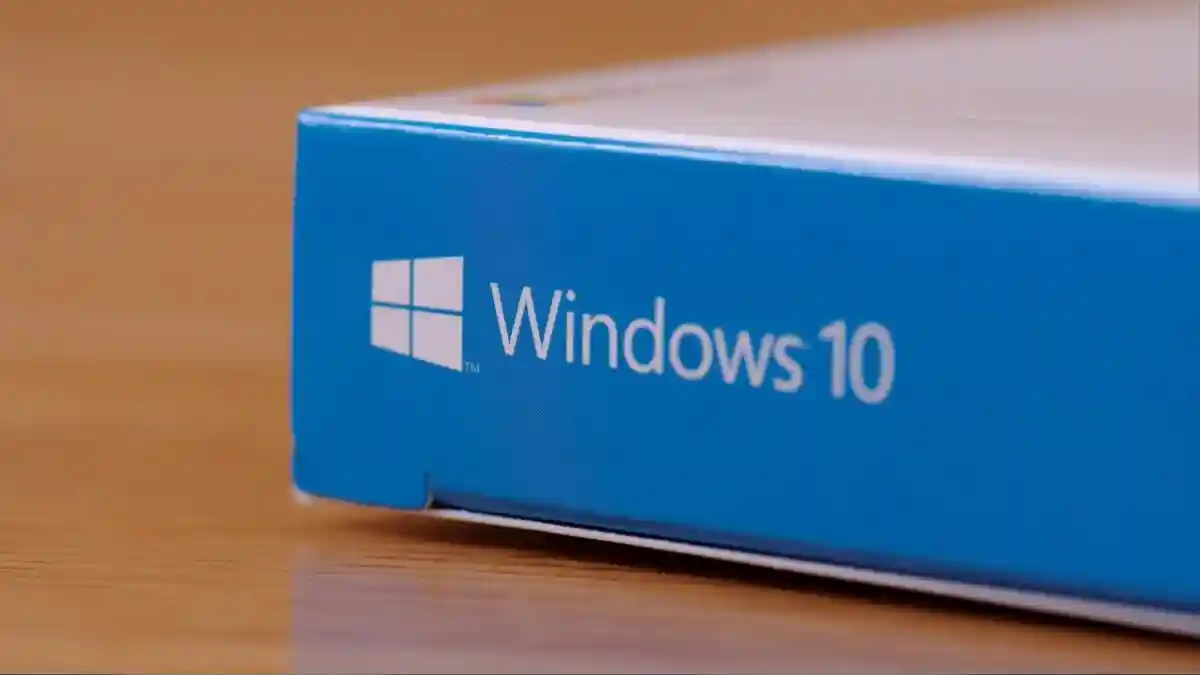
Upgrading to Windows 11 or purchasing compatible hardware is generally the safest long-term solution.Let’s be trustworthy, transitioning from Home windows 10 to Home windows 11 is a troublesome transfer that many customers aren’t prepared for. And that’s comprehensible. Home windows 10 stays a complete, safe, and strong working system. Nevertheless, as we’re about to elucidate, its time is working out.October 14, 2025, marks a essential date for thousands and thousands of customers worldwide: Microsoft will stop technical assist and safety updates for Home windows 10. After this date, computer systems working the working system will proceed to perform, however they may grow to be more and more susceptible to exploits, cyberattacks, and safety flaws with none official repair.
What Finish of Assist Actually Means
When an working system reaches its “end-of-life,” it stops receiving updates. In apply, this implies:
- No Safety Patches: Any vulnerability found after October 14, 2025, will stay unaddressed indefinitely, placing all Home windows 10 customers in danger.
- Elevated Attractiveness for Attackers: Cybercriminals know that thousands and thousands of computer systems with out official safety will nonetheless be linked to the web, making them prime targets.
- Decreased Compatibility: Packages, net browsers, and peripherals will steadily cease being appropriate with Home windows 10.
Whereas some customers might be able to join the Prolonged Safety Updates (ESU) program till October 2026, this answer received’t be accessible to everybody and doesn’t cowl the identical ranges of protection as customary assist.
In brief, the tip of Microsoft’s assist for Home windows 10 doesn’t imply your PC will cease working in a single day; it simply means its safety might be left susceptible and your information might be extra uncovered.
The Scale of the Drawback: Hundreds of thousands of Uncovered Customers
Home windows 10 stays extremely standard globally. In keeping with StatCounter statistics, greater than 53% of desktop computer systems had been utilizing it in 2024, and by August 2025, nearly half of all Home windows customers had been nonetheless working it.
Translating these figures to the Home windows consumer base—which is round 1.4 billion units—we’re speaking about roughly 647 million PCs that can nonetheless be working on Home windows 10 as soon as October 14, 2025, arrives.
This makes the tip of assist a worldwide safety concern: thousands and thousands of computer systems with out official updates signify an enormous goal for attackers, who will have the ability to exploit identified vulnerabilities with out patches being accessible.
The Dangers of Sticking with an Unsupported System
Staying on Home windows 10 after the deadline would possibly appear to be the best possibility in case your system is working high-quality, but it surely carries vital dangers:
- Publicity to Malware and Ransomware: With out updates, any found flaw can grow to be a gateway for assaults that encrypt your information or steal delicate data.
- On-line Fraud and Id Theft: Outdated browsers and applications enhance the danger of falling sufferer to phishing or web scams.
- Lack of Compatibility: New software program variations will steadily stop to put in or perform accurately on Home windows 10.
- Danger to Companies and Dwelling Customers: Everybody, from massive companies to people checking their on-line financial institution accounts on their residence PCs, will face the identical vulnerability.
In sensible phrases, with each month that passes after October 14, 2025, your laptop will grow to be a better goal for cybercriminals.

Out there Choices for Home windows 10 Customers
Dealing with the tip of assist from Microsoft, customers have a number of options:
- Improve to Home windows 11: In case your system meets the necessities, that is probably the most safe path. Home windows 11 consists of superior safety applied sciences like Safe Boot, virtualization, and enhanced id safety.
- Buy a New Machine: In case your present PC doesn’t meet the Home windows 11 necessities, changing the {hardware} is an possibility. Though it requires a major funding, it ensures long-term safety and compatibility.
- Use the ESU Program (Prolonged Safety Updates): Microsoft will supply an additional yr of safety patches for particular customers, but it surely’s not accessible in all areas and doesn’t cowl all vulnerabilities.
- Strengthen Safety with Exterior Safety Instruments like Avast: If you happen to determine to maintain working Home windows 10, putting in a dependable antivirus is important so as to add a layer of protection towards malware and rising threats.
It’s at this final level that Avast Free Antivirus performs a basic function.
Whereas no antivirus can fully exchange Microsoft’s updates, Avast Free Antivirus can present an extra layer of presents a sturdy protection that may make an enormous distinction for individuals who stay on Home windows 10.
- Proactive Safety: Avast detects and blocks malware, spy ware, ransomware, and phishing assaults in actual time, even when cybercriminals attempt to exploit identified vulnerabilities.
- Fixed Updates: The Avast engine receives frequent virus definition updates, permitting it to determine new threats every day, with out relying on Microsoft’s assist.
- Light-weight and Accessible: As it’s free and has reasonable useful resource consumption, Avast is a perfect possibility for older computer systems that don’t meet Home windows 11 necessities.
- Further Options: It consists of Wi-Fi community scanning, net safety, habits shields, and different instruments that assist shut frequent safety gaps.
Finally, whereas it doesn’t exchange official Microsoft assist, Avast Free Antivirus provides a necessary safety layer that may considerably scale back the dangers of continuous to make use of Home windows 10 after October 2025.
Find out how to Put together for the Future with Avast Free Antivirus
If you happen to plan to stay with Home windows 10 previous 2025, we advocate following these steps:
- Set up Avast Free Antivirus and activate real-time safety.
- Hold your software program up to date: This consists of browsers, purposes, and applications that also obtain assist.
- Carry out common backups to guard your most essential information towards ransomware or system failures.
- Be cautious on-line: Keep away from suspicious hyperlinks, fraudulent emails, and unverified downloads.
- Consider long-term migration: Though Avast can extend your PC’s safety, planning a transfer to an up to date working system is probably the most advisable plan of action.
Conclusion: Don’t Go away Your Safety to Likelihood
The tip of Home windows 10 assist on October 14, 2025, is an occasion that may’t be ignored. With over 600 million customers affected, the danger of mass assaults might be increased than ever.
Whereas the most suitable choice stays upgrading to Home windows 11 or a brand new system, those that select to remain on Home windows 10 might want to considerably enhance their safety. On this state of affairs, Avast Free Antivirus may also help strengthen defenses stands as a dependable, free, and efficient ally to stay protected towards cybercriminals and their malware, offering an extra layer of safety as soon as Home windows 10 stops receiving updates.
Your laptop will maintain working after the tip of assist, however your safety will rely upon the steps you’re taking. Don’t wait till the final minute: put together right now and set up Avast Free Antivirus to browse safely in an more and more harmful surroundings.